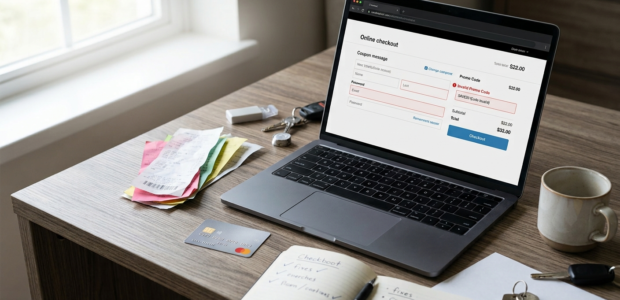

You have found a discount code, added your items to the basket and you are ready to check out. You type the code in, press apply, and nothing happens. Or a red error message pops up instead. If you are wondering why is my promo code not working, you are far from alone. It is one of the most common online shopping annoyances, and it does not automatically mean the code is fake or useless. Most of the time there is an ordinary reason behind it. The usual suspects are an expired code, a minimum spend you have not reached, products that are excluded, rules about who can use the offer, or a small checkout glitch. Sometimes it is a mix of two or three. This guide walks you through seven practical fixes. It also covers how to check whether a code is valid, what common error messages usually mean and what to do if nothing works. Some codes simply cannot be rescued, but it is always worth checking the basics first. Why Is My Promo Code Not Working? If your promo code is not working, first check whether it has expired, whether your order meets the minimum spend, and whether the products in your basket are eligible. These three things cause most problems. A genuine code can still fail on a particular order. The code itself may be perfectly real, but the offer has rules, and your basket may not match them. Here are the most common reasons a promo code fails. The sections below take each of these in turn and explain what you can do about it. If you are still looking for ways to reduce your order total, our [INTERNAL LINK: discount codes guide] explains how different types of online offers usually work. 7 Fixes That Usually Help When a Promo Code Fails 1. Check Whether the Promo Code Has Expired A code that worked last week may have ended since. Retailers often run offers for a limited time, such as a weekend sale, a seasonal campaign or a launch week for new customers. Once the end date passes, the code stops working, sometimes without any warning on the page where you found it. This is especially common with codes shared on forums, social media or older deal pages. They can stay online long after the offer has finished, which is why “discount code expired” is such a common message. Here is what you can do. Look for an expiry date next to the code or in the offer details. Then visit the retailer’s own website and check its current promotions banner or offers page. If the campaign has changed, there may be a newer code for the same deal. Time of day can matter too. Some offers end at midnight, and some end at a specific hour in another time zone. If you are close to a deadline, it is better to check out sooner rather than later. 2. Recheck the Code You Entered It sounds basic, but typing mistakes are a very common reason a coupon code is invalid. A missing character, a wrong letter or a number that looks like a letter can all stop a code from working. The zero and the letter O are classic troublemakers, and so are the number one and the letter I. Copying and pasting can cause problems too. When you copy a code from a web page or an email, you can accidentally pick up an extra space at the start or the end. The checkout may then read it as a different code. A good habit is to copy the code carefully, paste it into the field and look at it before you press apply. If you see a space before or after it, delete it. If you are typing the code by hand, go slowly and compare it with the original, character by character. Capital letters usually do not matter, but some retailers may say in their terms that the code is case sensitive. If the terms say so, enter the code exactly as shown. 3. Check the Minimum Spend Requirement Many offers only work once your basket reaches a certain amount. You might see something like “Spend £50 and save £10”, “15% off orders over £75” or “Free delivery over £30”. If your basket is a little short, the code may be rejected, even though it is perfectly valid. The tricky part is knowing what counts toward that amount. Some retailers use the basket subtotal. Others leave out delivery fees, taxes or products that are already discounted. The offer terms usually explain this, so it is worth reading them. Here is a simple example. Say a code needs a £75 spend, and your basket shows £80. But £10 of that is a gift card, which the retailer does not count toward offers. Your qualifying spend is only £70, so the code will not apply. If you are just under the limit, you could add a low-cost item you were already thinking of buying. Just be careful not to spend more than you planned only to get a discount. 4. Check Product and Category Exclusions Some codes only work on selected products. The code can be completely valid and still not apply to what is in your basket. This is one of the most overlooked reasons a discount code is not accepted. Common exclusions include: Retailers do this to protect their margins or because of agreements with brands. You will usually find the list in the small print under the offer, or on a “terms and conditions” link near the code. To test this, try removing items one at a time and applying the code again. If the code suddenly works, the last item you removed was probably excluded. You can then decide whether the discount is worth buying the items separately. 5. Check Whether You Are Eligible for the Offer Some offers are made for particular groups of shoppers. A code may
Read More